
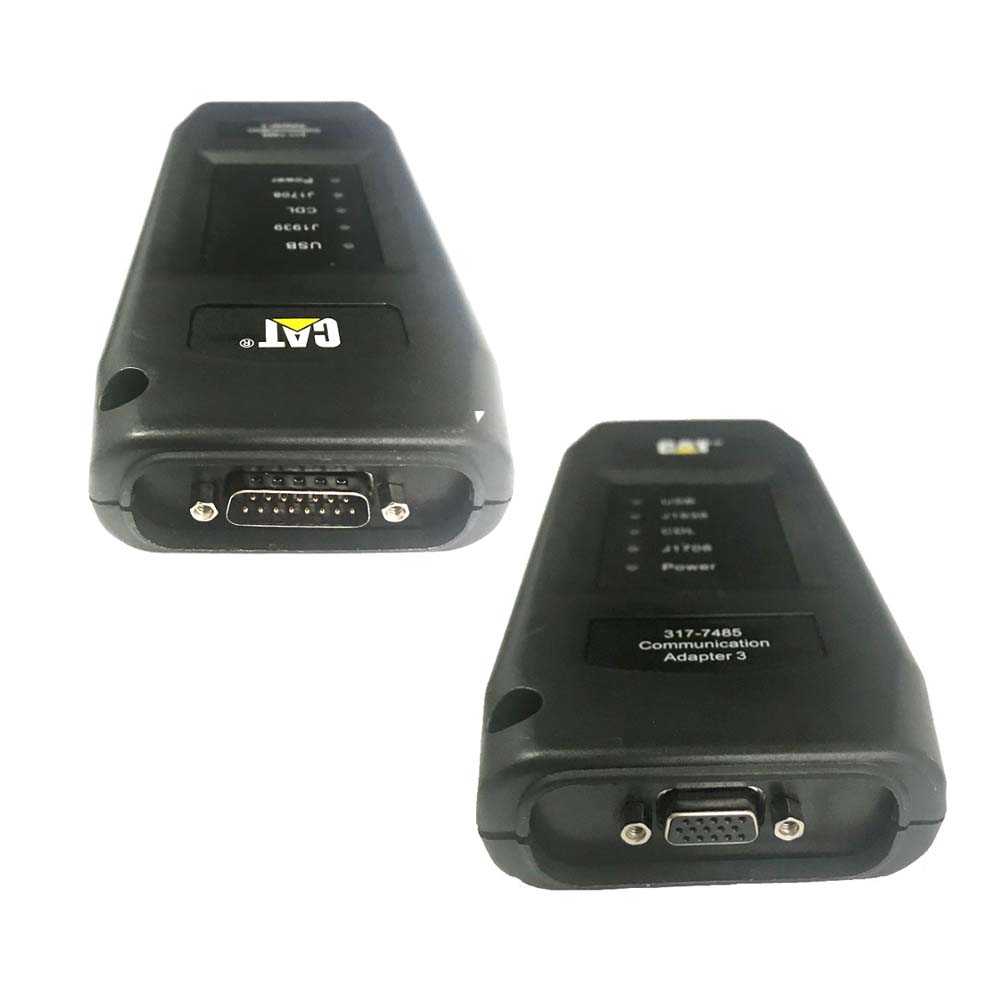
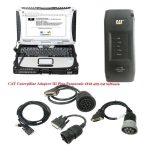
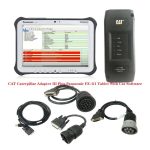

CAT Caterpillar ET 2026A/2019C Diagnostic Adapter III Cat Communication Adapter 3 (Real Caterpillar ET3)
258.00$
CAT Caterpillar ET Diagnostic Tool from Caterpillar provide the capability to access Electronic Control Modules (ECMs) from a personal computer. Many job-critical tasks can be performed with an electronic service tool. The user can display the status of a
CAT Caterpillar ET 2026A/2019C Diagnostic Adapter III Cat Communication Adapter 3 (Real Caterpillar ET3)
Top 5 Reasons To Get CAT Caterpillar ET Diagnostic Tool Adapter 3
1. Latest Caterpillar ET 2026A Software to work with CAT/CAT3 Truck Scanner, this software version include the 10 factory password generator. when you push the Ctrl+F2 shortcut button,you can open the 10 bits of password generator.
2. With one free activation, can send software online
Caterpillar electronic technician 2026A (replaces CAT ET 2025C, 2024C, 2023A, 2019C) with WinFlash future is an updated version of the caterpillar dealer diagnostic software that can help technicians to diagnose existing and potential problems with their electronically controlled Caterpillar Engines and Machines.
Caterpillar ET 2026A Electronic Technician Diagnostic Software:
Brand: Caterpillar
Region: WorldWide
Support Multi-languages:English, Chinese, Danish, French, German, Italian, Japanese, Portuguese, Russian, Spanish
Compatible OS: Windows 8/8.1 32 bit, Windows 8/8.1 64 bit, Windows 10 32 bit, Windows 10 64 bit, Windows 11 64 bit, Windows 11 Pro 64bit
Support All cars of CAT
Region: WorldWide
2026A Caterpillar Electronic Technician software With CAT ET 3 Cat caterpillar adapter 3 support caterpillar diagnostic till 2025.


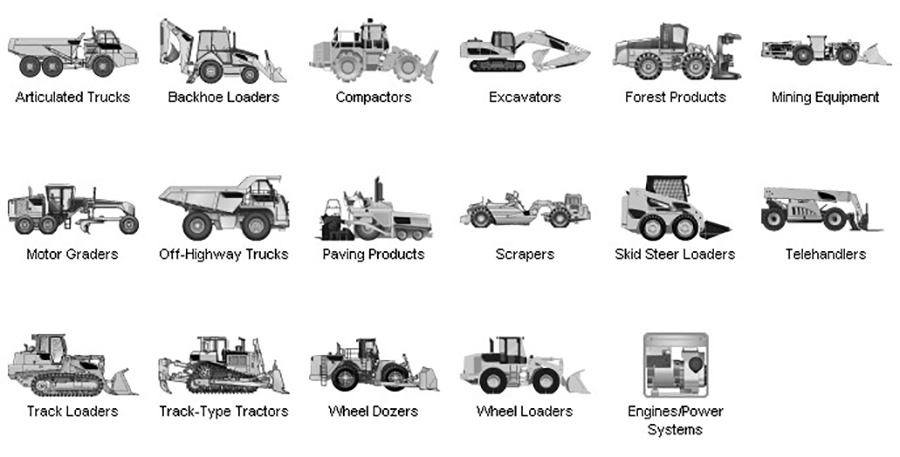
Support list of CAT Caterpillar ET Diagnostic Tool :
With the CAT Diagnostic Tool, you can:
View active and logged diagnostics
View events where irregularities occurred and were logged by the ECM
View the status of a group of parameters (temperatures, pressures, etc.) simultaneously
Record and log performance data
Graph a group of status parameters
View the current configuration of an ECM
Change ECM configurations
Perform diagnostic tests
Perform calibrations
Print reports and diagnostic results
For some machine and engine products, additional functionality has been included with the service tool program
Product Description
CAT Caterpillar ET Diagnostic Tool from Caterpillar provide the capability to access Electronic Control Modules (ECMs) from a personal computer. Many job-critical tasks can be performed with an electronic service tool. The user can display the status of a group of parameters (temperatures, pressures, etc.) simultaneously, view active and clear logged diagnostics, display the current configuration of an ECM and much more. The service tool works with a communication adapter to allow connection to an ECM. A graphical interface makes this software quick to learn and easy to use. A separate pull-down menu for each function enhances the “ease of use.” The version and identification of the ECM is automatically retrieved and is displayed on a summary screen when the program is started. Diagnostic tests and calibrations can also be performed.
CAT Caterpillar ET Diagnostic Tool enable service technicians to reprogram ECMs, reconfigure control system parameters, fine tune performance or diagnose the root cause of a failure the first time. These powerful tools allow service personnel to display and analyze vital performance and health information from any system quickly and accurately. The service tool communicates with any system using ATA (J1708), J1939 or the Caterpillar proprietary data link networks. The service tools provide information and features needed to help a technician diagnose problems and perform repairs and to customize and personalize the operation of a product. By allowing customers to design flexibility and configurability into a product, Caterpillar service tools stretch beyond the capabilities of preprogrammed ECMs or onboard display systems.
PC, Communication Hardware, and Cable Requirements
To run the service tool, the next PC, communication hardware, and cable requirements must be met.
NOTE: The minimum PC Configurations should not be used as a standard when buying new personal computers for service tool purposes. If the existing equipment meets these minimum requirements, it will run the service tool.
PC Requirements
PC with a 2.0 GHz dual-core processor
4 GB RAM
5 GB of available hard disk space
12-inch or larger screen, Windows desktop compatible
Microsoft Windows™ 8.1 Professional, Windows 10 Professional, or Windows 11 Pro (Note: Windows 8 RT is not supported)
RS232 port with 16550AF UART or compatible (for use with Comm Adapter II)
USB v1.1, v2.0, v3.0, or v3.1 port (for use with Comm Adapter 3)
Ethernet RJ45 connector (or Wi-Fi adapter)
Built-in pointing device or mouse
Microsoft Internet Explorer version 11, Microsoft Edge, Firefox, or Chrome browsers are recommended.
Note: The most recent version of Microsoft Internet Explorer may not be validated to work with the service tool.
Wi-Fi (for the Wireless Comm Adapter 3)
The list of supported CAT machines and engines can be found below:
Engines:
Electric Power
Electric Power Generation
Industrial
Marine Power Systems
Oil and Gas
Machines:
Articulated Trucks
Asphalt Pavers
Backhoe Loaders
Cold Planers
Compactors
Dozers
Drills
Excavators
Feller Bunchers
Forest Machines
Forwarders
Harvesters
Hydraulic Mining Shovels
Knuckleboom Loaders
Material Handlers
Motor Graders
Off-Highway Trucks
Pipelayers
Road Reclaimers
Site Prep Tractors
Skid Steer and Compact Track Loaders
Skidders
Telehandlers
Track Loaders
Underground – Hard Rock
Underground – Longwall
Underground – Room and Pillar
Utility Vehicles
Wheel Dozers
Wheel Excavators
Wheel Loaders
Wheel Tractor-Scrapers
Caterpillar SIS 2023 CAT SIS 2023 Service Information System


Type of catalogue: repair manual, spare parts catalogue
Make: caterpillar
Region: WorldWide Inclusive
Languages: English, Spanish, Italian, Chinese, Mexican, German, French
Amount of disks: 300 GB
Description:
Caterpillar SIS (CAT SIS) 2023 is illustrated as a guide to the maintenance and repair of the full range of cat vehicles, contains guidance on repair equipment and machinery caterpillar, program help diagnose production caterpillar, operating instructions spare parts and equipment caterpillar.
Repair manual caterpillar SIS 2023 is intended for engineers and will be useful to all interested in the given direction.
E-program caterpillar SIS 2023 allows the owner of specialized equipment to quickly and easily find the required information about the machine because it contains a search function references; helps professionals to calibrate equipment caterpillar, diagnose it and troubleshoot equipment to solve any problems.
We’re getting a lot of questions about how to work with the CAT SIS
It’s simple and convenient for use. All you need to know is your model name, or serial number, or prefix. Also, you can use the Parts search function.
Caterpillar Service Information System is a completely offline product, no matter it works using Internet Explorer Browser (You connected to the local web server, which is being installed on your own PC/Laptop). The technical database for all cat machinery stored on 26 DVD-DL discs or (iso images or these DVDs).
2023 CAT SIS EPC Functions:
Parts catalogs
Maintenance and repair manuals
Guidance on repair equipment
Wiring and hydraulic diagrams
program help diagnose production caterpillar
operating instructions spare parts and equipment caterpillar
Calibration data, etc
2023 CAT SIS EPC Information Types/Titles
>Contamination Control Guidelines
>Disassembly and Assembly
>General Service Information
>Operation and Maintenance ManualParts Identification
Schematic
>Service Letter
>Special Instruction
>Specifications
>Systems Operation
>Testing and Adjusting
>Tool Operating Manual
>Torque Specifications
>Troubleshooting
>Truck Engine News
Sections
IMDEX
MAINTENANCE PARTS LIST
MACHINE ARRANGEMENT
ENGINE_ARRANGEMENT
BASIC ENGINE
LUBRICATION SYSTEM
COOLING SYSTEM
AIR_INLET AND EXHAUST SYSTEM
FUEL SYSTEM
ELECTRICAL AND STARTING SYSTEM
POWER TRAIN
FRAME_AND BODY
BRAKING SYSTEM
STEERING SYSTEM
HYDRAULIC SYSTEM
OPERATOR_STATION
SFRUICE EQUIPMENT AND SUPPLIES
Option 1:
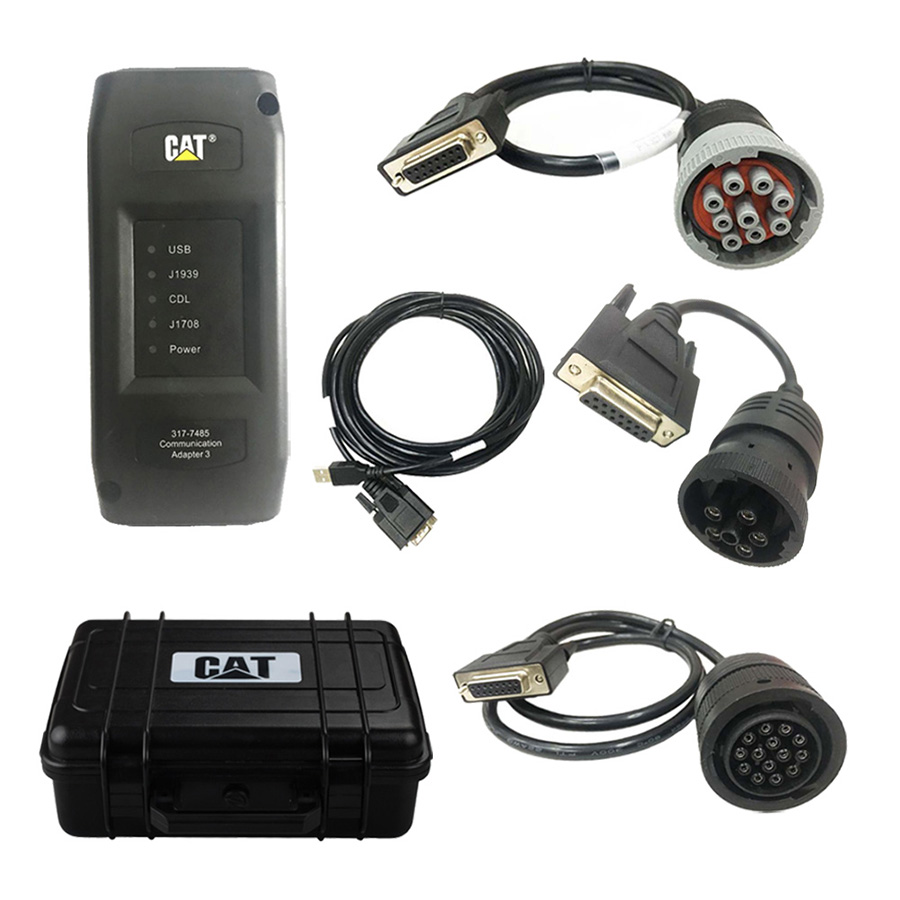
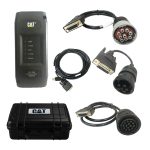
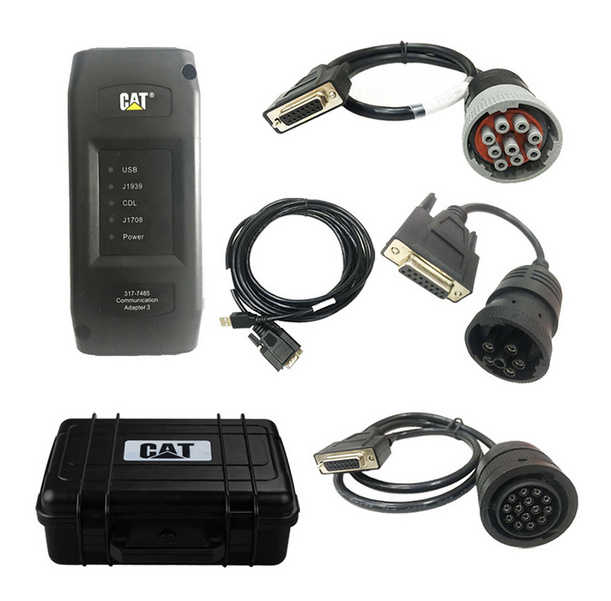
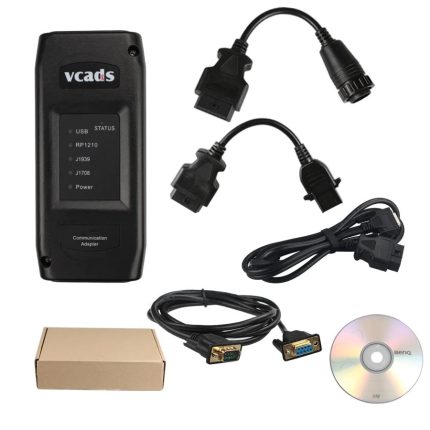
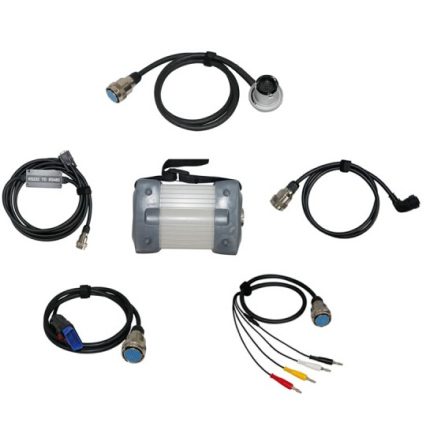
Package including:
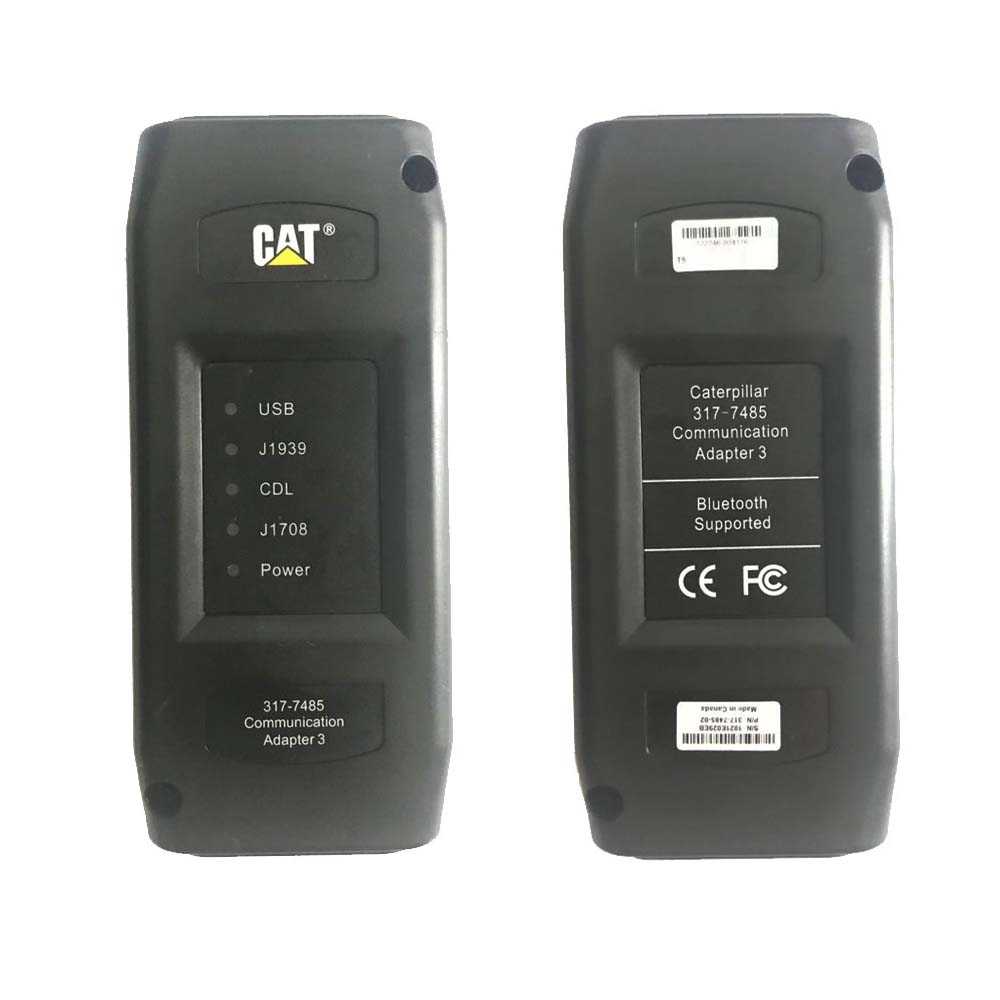
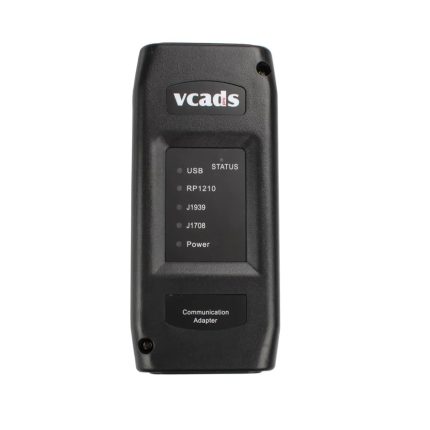
1.Real CAT et3 Comm Adapter III (it’s real cat et 3,not adapter 2,please check Communication port)
2.USB Cable (From device to your computer)
3.J1939/J1708 9PIN Cable
4.14PIN Cable (for new truck)
5.6PIN Cable (for old truck)
6.Plastic box
7.Cat ET 2019C software (CD or software download link)
Option 2 :
Package including:
1.Real CAT et3 Comm Adapter III (it’s real cat et 3,not adapter 2,please check Communication port)
2.USB Cable (From device to your computer)
3.J1939/J1708 9PIN Cable
4.14PIN Cable (for new truck)
5.6PIN Cable (for old truck)
6.Plastic box
7.Cat ET 2026A software (Remote Installation on one laptop)
Option 3 :
Package including:
1.Real CAT et3 Comm Adapter III (it’s real cat et 3,not adapter 2,please check Communication port)
2.USB Cable (From device to your computer)
3.J1939/J1708 9PIN Cable
4.14PIN Cable (for new truck)
5.6PIN Cable (for old truck)
6.Plastic box
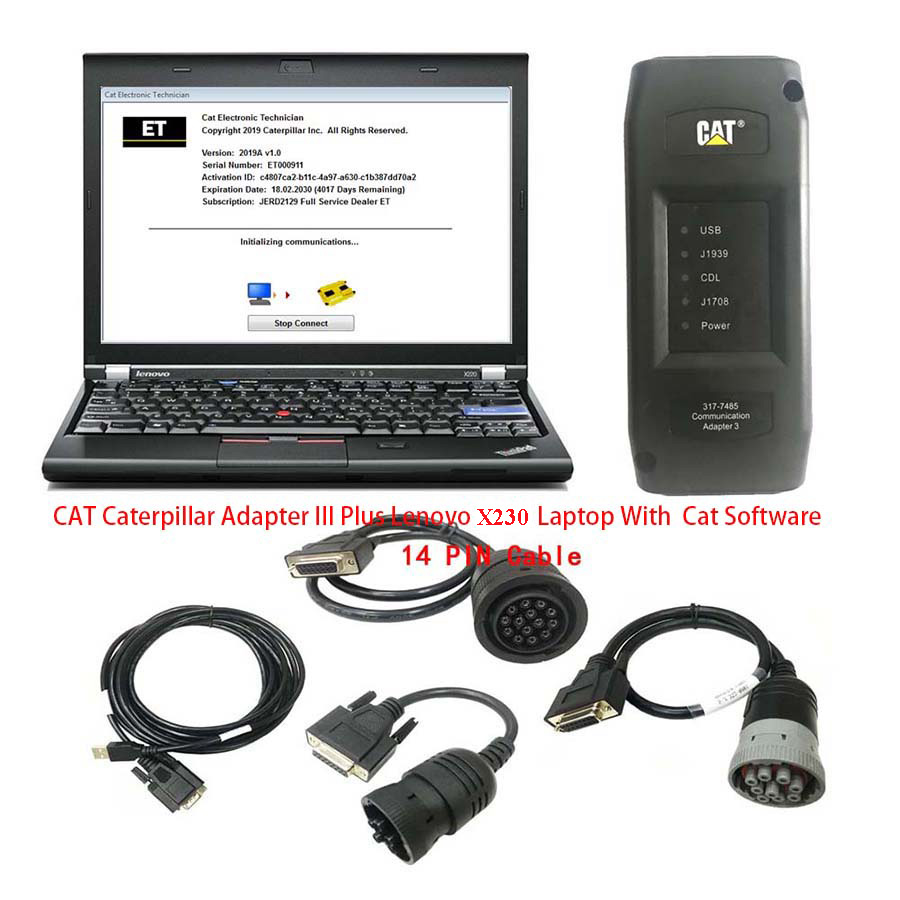
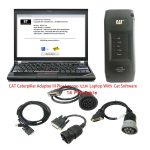
7.1pc x Second-hand Lenovo X230 Laptop With 2026A Diagnostic Software and 2023 CAT SIS Software (The software has been installed and activated)
Second Hand Laptop Lenovo X230 Specification:
Brand: Lenovo
Condition: Used
Type: Laptop/Notebook
Screen Size: 12.5
Processor Type: Intel (R) Core(TM) I5-3320M CPU
Memory: 8GB
Processor Speed: 2.6GHz

Option 4 :
Package including:
1.Real CAT et3 Comm Adapter III (it’s real cat et 3,not adapter 2,please check Communication port)
2.USB Cable (From device to your computer)
3.J1939/J1708 9PIN Cable
4.14PIN Cable (for new truck)
5.6PIN Cable (for old truck)
6.Plastic box
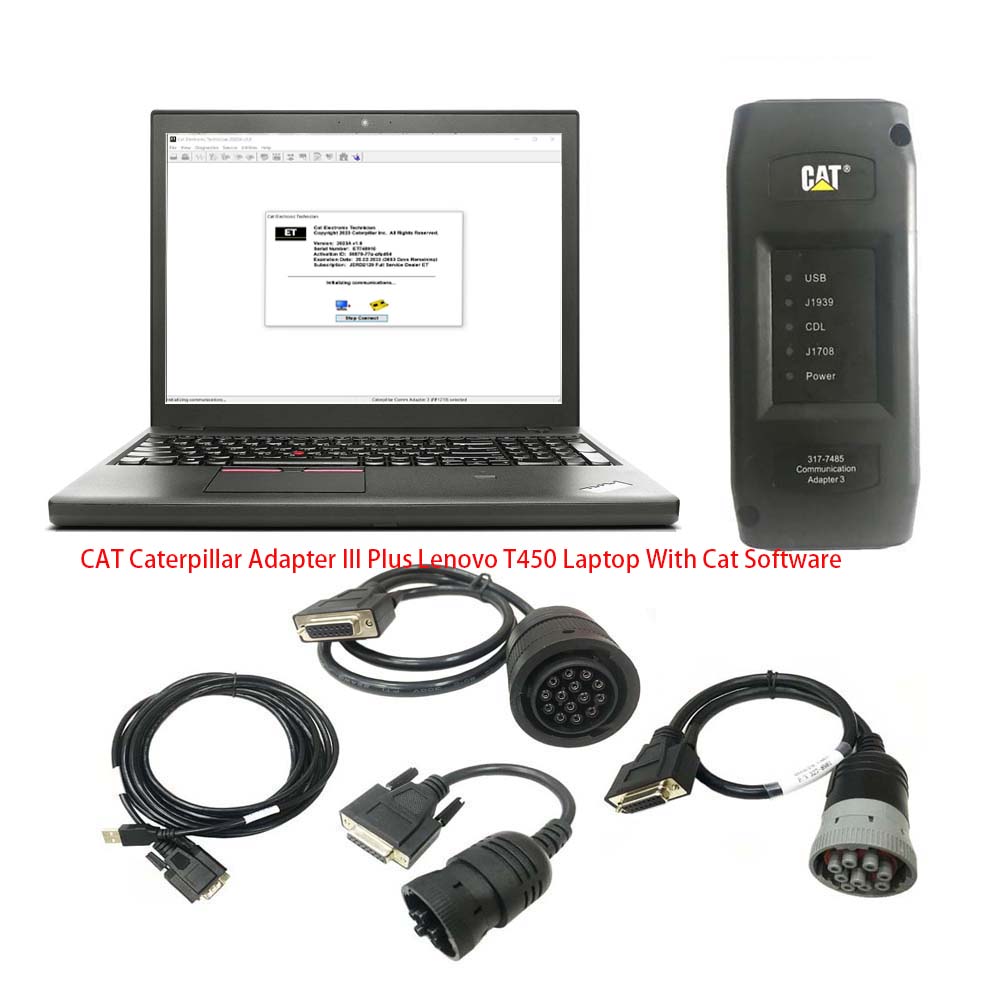
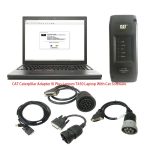
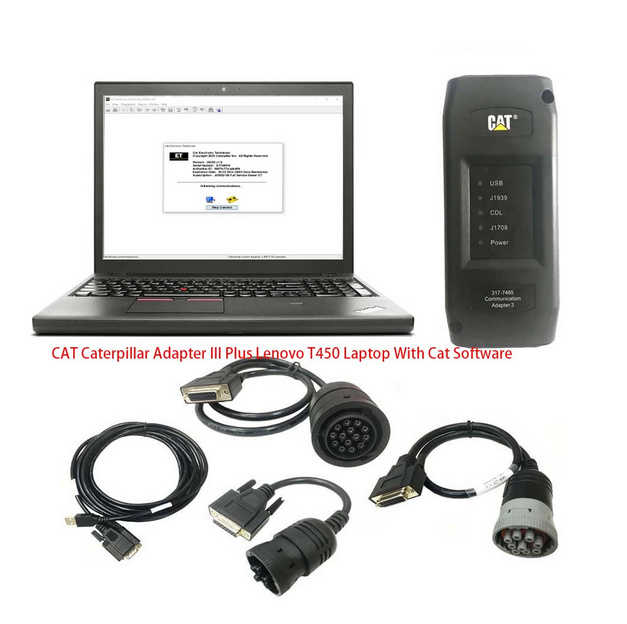
7.1pc x Second-hand Lenovo T450 Laptop With 2026A Diagnostic Software and 2023 CAT SIS Software (The software has been installed and activated)
Second Hand Laptop Lenovo T450 Laptop:
Brand: Lenovo
Condition: Used
Type: Laptop/Notebook
Screen Size: 14
Processor Type: Intel (R) Core(TM) I5-5200U CPU
Memory: 8GB
Option 5:
Package including:
1.Real CAT et3 Comm Adapter III (it’s real cat et 3,not adapter 2,please check Communication port)
2.USB Cable (From device to your computer)
3.J1939/J1708 9PIN Cable
4.14PIN Cable (for new truck)
5.6PIN Cable (for old truck)
6.Plastic box
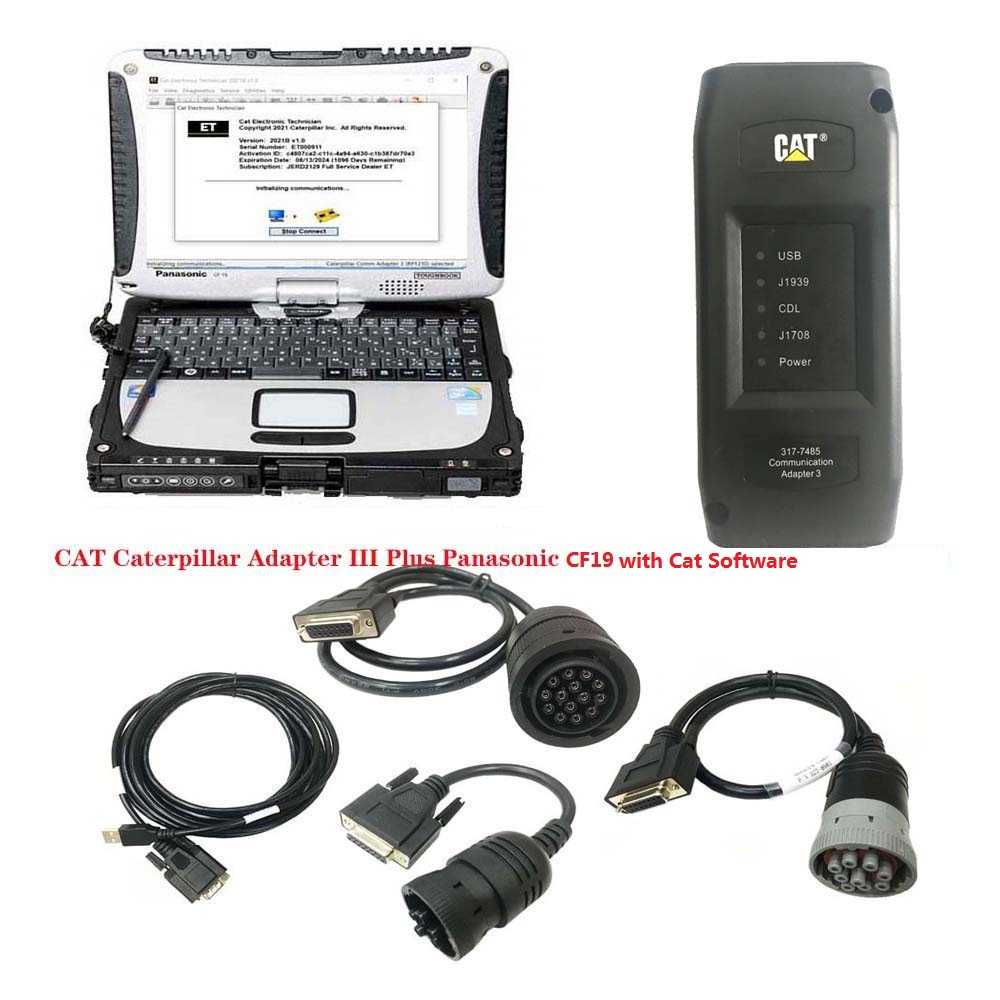
7.Second Hand Panasonic CF19 Laptop With 2026A Diagnostic Software and 2023 CAT SIS Software (The software has been installed and activated)
Second Hand Panasonic CF19 I5 4GB Laptop Specification:
Model No: CF-19
Processor Type: Intel(R) Core(TM)I5 CPU i5-3320
Memory Size: 4096 MB
Available Memory: 3893 MB
Condition: Used

Option 6:
Package including:
1.Real CAT et3 Comm Adapter III (it’s real cat et 3,not adapter 2,please check Communication port)
2.USB Cable (From device to your computer)
3.J1939/J1708 9PIN Cable
4.14PIN Cable (for new truck)
5.6PIN Cable (for old truck)
6.Plastic box
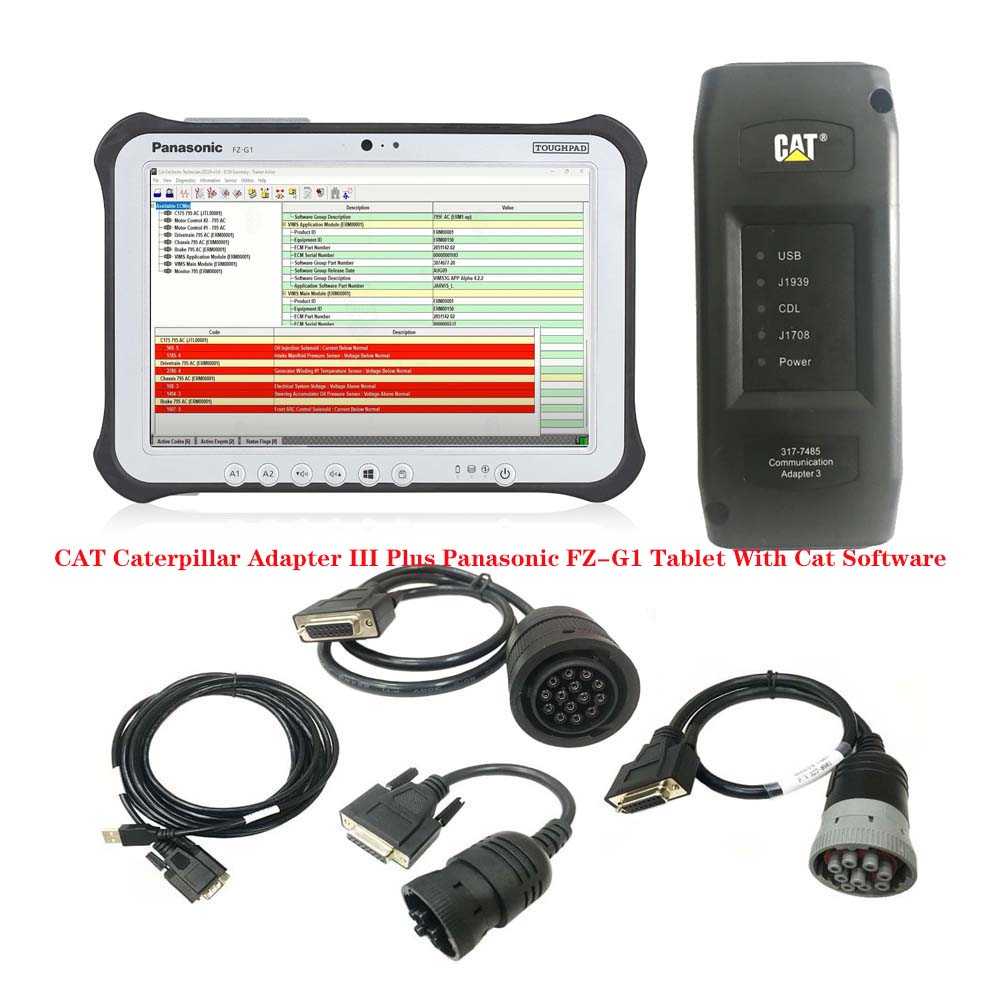
7.Second-hand Panasonic FZ-G1 I5 4rd generation Tablet With 2026A Cat Software (The software has been installed and activated)
We don’t recommend install the CAT SIS software on the FZ-G1 Tablet, if you need CAT SIS software, please select other options.
Second Hand Panasonic FZ-G1 Configuration:
10.1″ HD Screen
Intel Core i5-6300U Processor
8GB Memory
Windows 10 Pro (Refurbished)
Wifi
Display Resolution Maximum 1920 x 1200

The Details as follows:
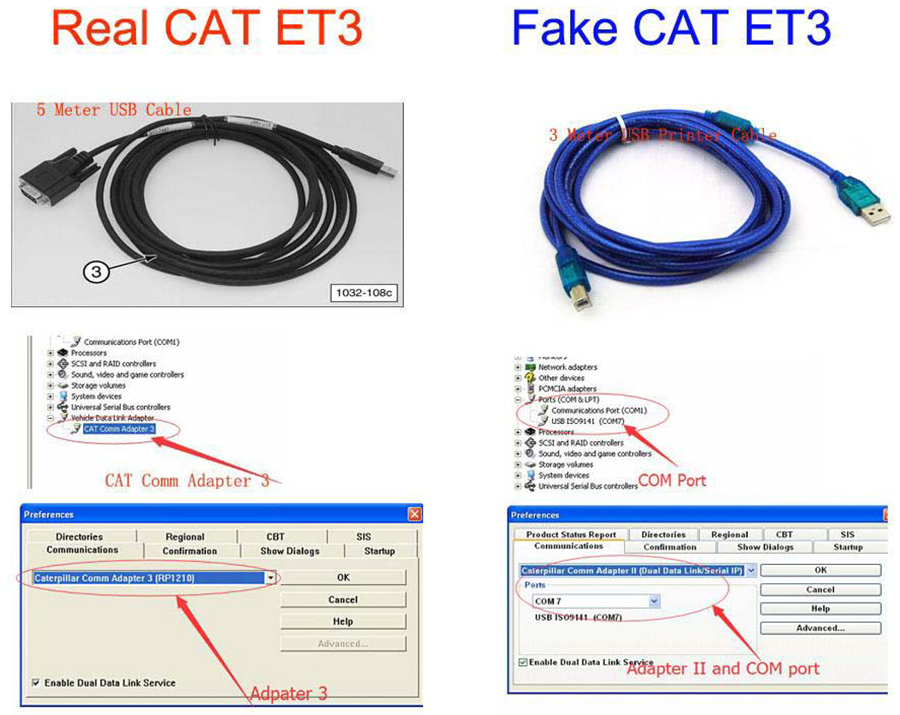
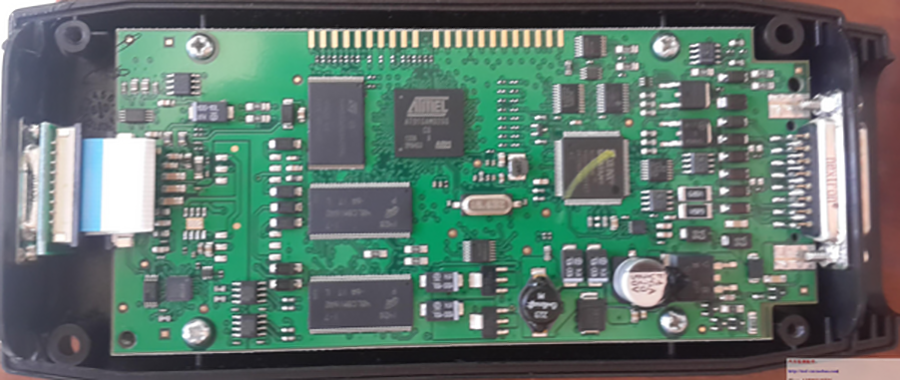
Original Factory Caterpillar ET3 Adapter III Compare With OEM Caterpillar ET Diagnostic Adpater III
1. Original Factory CAT ET can use once pluged, no need install the USB drive, the software can automatic realize it for ET3 Adapter, and the machine can automatic weld the high quality Circuit board, quality will be more reliable.
2. The OEM Caterpillar ET Diagnostic Adapter III need use USB Drive to install, and need choose the COM Port, and in the software ET also need choose ET2 then can be used.
The Details as follows:
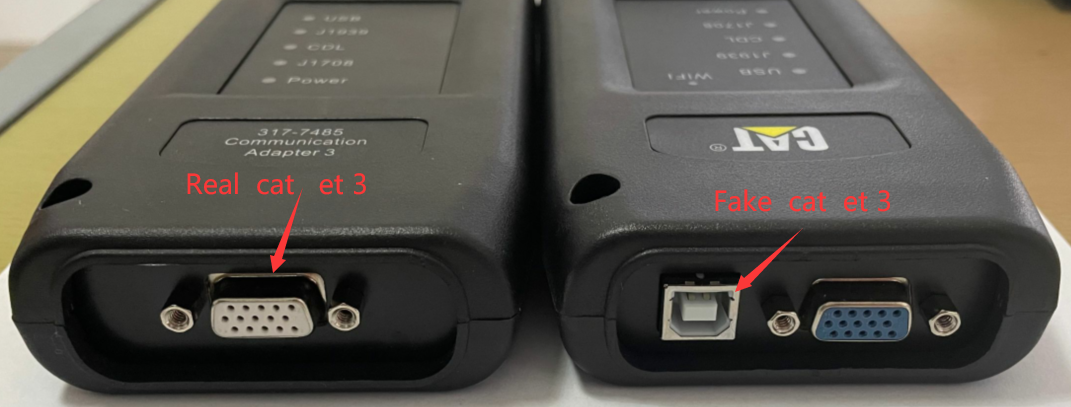
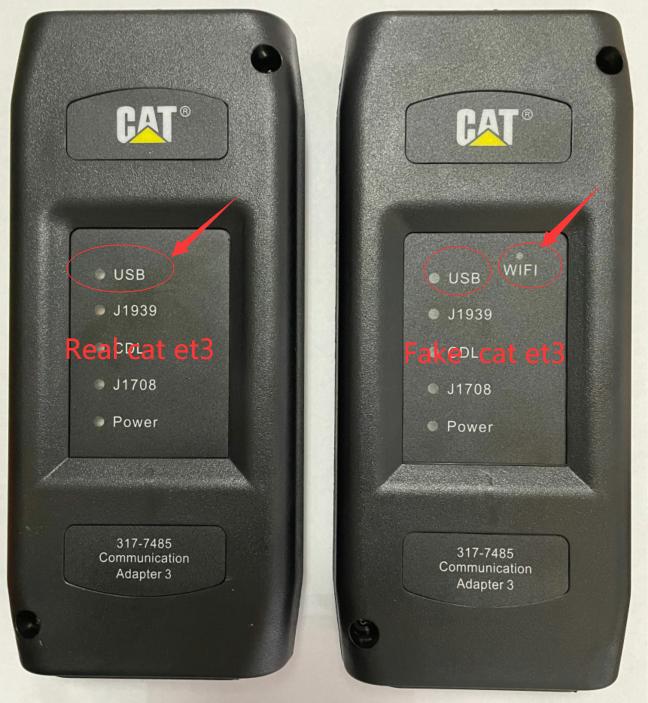
Service tool testing has been performed and the service tool is compatible with Windows 11.
ECM File Replacement Compare Feature
The service tool now has an ECM Replacement File Compare feature for troubleshooting purposes. This feature allows the user to compare one ECM replacement file with another from within the ECM Replacement feature screen. The feature will highlight the differences between the selected files as a whole or the user may select the “only show differences” checkbox.
Configuration Group Headings on ECM Replacement Feature
In order to help the user find ECM replacement configuration items easier, configuration items in the ECM Replacement, Fleet Configuration, and Product ECM features are now grouped under their group sub-headings, as is done in the main configuration feature.
What’s New – Updates by Version
What’s New -2025B
Trainer Update – 140-16 Motor Grader
The 140-16 Motor Grader has been added to the Trainer application.
Trainer Update – 627 Wheel Tractor-Scraper
The 627 Tractor-Scraper has been added to the Trainer application.
2025A
No significant new features or feature enhancements
2024C
Automatic Connection Preferences
Users are now able to change multiple automatic connection preferences for the service tool and WinFlash. After navigating to the Preferences dialog, users may enable the service tool to connect automatically when opened in service and/or flash mode. Both options may also be disabled if the user wishes to connect manually.
2024B
No significant new features or feature enhancements
What’s New – 2024A
Automatic Product Status Report (PSR) Upload
The service tool includes a new tool that automatically uploads Product Status Reports. The tool scans for newly generated Product Status Reports and uploads them when an internet connection is available. The default is that automatic report uploading is enabled. The Preferences dialog has an option to disable the tool.
What’s New – 2024A
ECM Naming Changes
Certain ECMs connect to the service tool over two data links at the same time. The service tool shows a message popup when the ECM is only detected on one link. The service tool has been changed to add the text **INCOMPLETE** in the ECM name when the connection is incomplete. Service tool features that display a connection icon also use a new icon for an incomplete connection.
What’s New – 2024A
No significant new features or feature enhancements
What’s New – 2024A
CEOS Fleet Configuration File TOP
A CEOS (Customer Electronic Option Selection) Fleet Configuration File can be created/modified for an engine using the Service Tool. This is available in connected and disconnected mode.
Error When Launching Service Tool
There is a Microsoft issue with upgrading libraries during an installation involving certain versions of the C++ redistributable. After a successful service tool installation, when trying to run the service tool for the first time, one of the following errors may occasionally appear: “The entry point could not be located in api-ms-win-crt-runtime” or “The program can’t start because mfc140u.dll is missing from your computer.” If either of these messages is displayed, please let us know and we will send you to step by step troubleshooting guide. This procedure requires administrator rights.
Service Tool License Corruption Issues with Windows 10 Updates
Windows 10 updates 1709 and 1803 will corrupt service tool licenses. Future Window 10 updates may do the same
If either of license error messages is displayed, please let us know and we will send you to step by step troubleshooting guide.
What’s New – 2024A
Trainer Update – 988K XE Wheel Loader
The 988K XE Wheel Loader has been added to the Trainer application.
What’s New – 2024A
Preferences Option to Save a Product Status Report to PDF
The Preferences dialog for the Product Status Report has changed. The dialog contains a new checkbox to automatically save a Product Status Report as a PDF file when the report is created. The service tool will continue to automatically save Product Status Reports as an XML file.
What’s New – 2024A
Product Status Report Updates
The Product Status Report has been updated to include certain history features supported by the ECM, such as the after-treatment Regeneration History and the Service Test History.
Winflash Screen Update
The screen for the Winflash feature has been updated. A new Expand All button opens all sections of the screen to show all details for ECMs detected by WinFlash. A new Collapse All button hides all sections of the screen, except for header rows showing detected ECM names.
| Poids | 2.5 kg |
|---|


martin –
If i dont buy the tool with the laptop , can it work with my computer
JcGilmour.ca –
the cd is empty when i received the package
Todd –
recommend it , work well with my vehicles
Tyler –
the software installed well and ready to use directly , i like it
Genovy –
Parcel arrived quickly. all included
Gilev –
From China to South Carolina in less then a week, just used the unit for the first time today and it worked perfectly. I could not be more happy.. and I get to keep it forever !!! THANK YOU SO MUCH !!!
Mr.Giordany –
I have got the parcel , the comomodity is unbroken that makes me inpression and the function is compatible
Ms.CRUZ MARTINEZ –
Thanks autonumen , and fast delivery, tool is great all american cars, Update for free,and easy steps.
JASON SANTOS –
The seller gave me great backup and erased my hesitation in buying it.
Jones John Salehe –
had problems loading but all is well now
Erica Ingersoll –
The goods were delivered within the specified time. Everything works.
kageyama youji –
It is a perfect tool. Thank you.